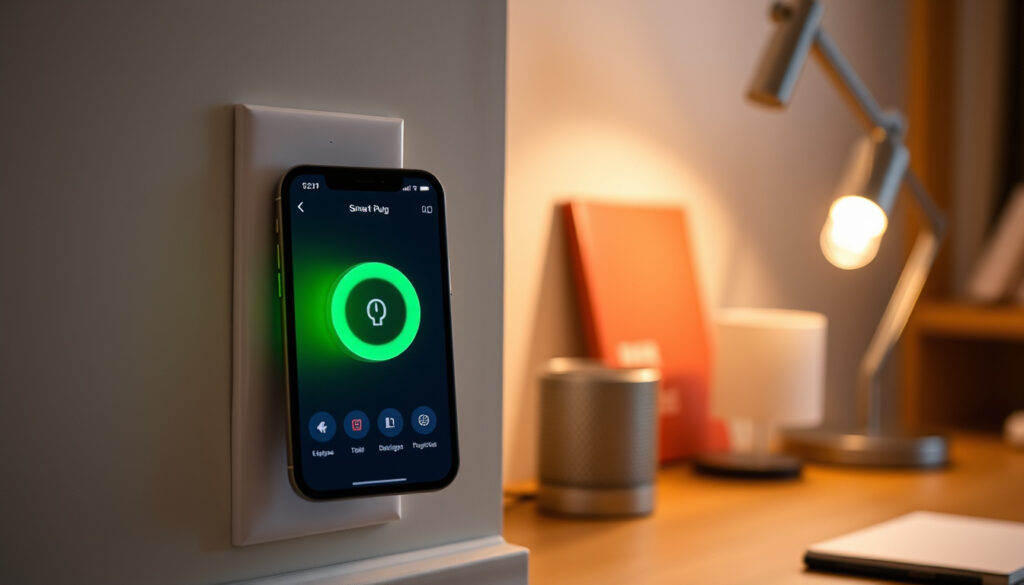
What I a Smart Plug? How It Work , Benefit & Safety Guide
You plug in a lamp, flip a switch, and the room lights up. That’s straightforward. But what if you could tell that lamp to turn on from a coffee shop across town, or schedule it to welcome you home at dusk without touching a wall switch at all? A smart plug makes that possible. In this guide, you’ll learn exactly how these compact Wi-Fi outlet adapters work, what they can save you on energy bills, and what to watch out for when buying one in Ireland.
Smart plug market size (2025): Estimated at $5.2 billion globally ·
Average standby power consumption of a smart plug: 0.5–1 watt ·
Potential energy savings from using smart plugs: Up to 10% on standby electricity
Quick snapshot
- Smart plugs connect via Wi‑Fi and let you control appliances remotely (Centre for Sustainable Energy).
- They draw 0.5–1 watt of standby power (Centre for Sustainable Energy).
- Many models monitor energy consumption and provide usage reports (Smart Energy Answers).
- 2025: Good Housekeeping UK names the Tapo P110M Matter Smart Plug its best overall smart plug (Good Housekeeping UK).
- 2025: Smart plug market estimated at $5.2 billion globally — continued growth expected. (Good Housekeeping UK)
- 2025: Home‑monitoring guides recommend starting with a few high‑use devices (EdgeAnt).
- Matter protocol adoption will improve cross‑platform compatibility.
- Energy‑monitoring features will become standard, not a premium option.
- Irish retailers (Currys.ie, Electrical Wholesaler) are expanding smart‑plug ranges.
What Is a Smart Plug and How Does It Work?
A smart plug is a Wi‑Fi‑enabled device that fits between an appliance’s plug and a wall outlet, turning any standard appliance into a connected device. The Centre for Sustainable Energy (UK energy advice charity) describes it as a plug‑in device that lets you control a connected appliance remotely through an app and often monitor its energy consumption.
How does a smart plug work?
- The smart plug contains a Wi‑Fi chip (typically 2.4 GHz), a relay switch, and sometimes energy‑monitoring circuitry.
- It receives commands from a smartphone app, voice assistant, or home automation hub.
- Those commands toggle the relay, which opens or closes the power circuit to the plugged‑in appliance.
Most smart plugs use 2.4 GHz Wi‑Fi and may require a hub for certain protocols (Zigbee, Z‑Wave). Some models are designed for 2.4 GHz Wi‑Fi only and are not compatible with 5 GHz networks, as noted by Myko.
What is the difference between a smart plug and a smart switch?
A smart plug sits between the wall outlet and the appliance plug — no wiring required. A smart switch replaces a wired wall switch and controls a light fixture or outlet circuit permanently. Smart plugs are portable and beginner‑friendly; smart switches need electrical installation. Vesternet (smart home specialists) notes that smart plugs are ideal for renters or anyone who wants to test home automation without altering the house wiring.
For Irish households renting or owning, a smart plug offers a zero‑commitment entry into home automation. The catch: if your router runs dual‑band 5 GHz only, some cheaper plugs simply won’t connect — always check the spec.
What Does a Smart Plug Do?
Why would I need a smart plug?
- Turn lamps, fans, and small appliances on or off from anywhere using your phone.
- Set schedules — for example, switch on a lamp at dusk or turn off a coffee maker after two hours.
- Monitor how much electricity a device actually uses, helping you identify energy hogs.
Common uses include controlling lamps, fans, holiday lights, small kitchen appliances, and space heaters. The Centre for Sustainable Energy emphasises that smart plugs can be used to turn appliances on or off remotely and set schedules for operation.
What is a smart plug used for?
Beyond basic on/off control, some smart plugs also monitor energy consumption and provide usage reports. Smart Energy Answers explains that smart plugs with energy monitoring can show individual‑device electricity use in a companion app or web interface, making your standby power waste visible.
An Irish household leaving a desktop computer in standby 24/7 could be burning €30–50 a year without realising it. A €15 energy‑monitoring smart plug reveals that waste in one week of data.
The pattern: a smart plug transforms an ordinary appliance into a trackable, controllable device. For Irish consumers, the biggest win is the ability to cut standby power — known as “vampire draw” — which the International Energy Agency estimates accounts for up to 10% of household electricity use.
What Are the Disadvantages of Smart Plugs?
Upsides
- Simple to install — no wiring or tools needed.
- Works with most existing appliances up to 13 A / 3120 W.
- Can save money by reducing standby power waste.
- Voice assistant compatible (Alexa, Google Assistant).
Downsides
- Relies on Wi‑Fi — no remote control if the internet goes down.
- Some cheap plugs lack essential safety certifications.
- Not compatible with high‑wattage devices (heaters, air conditioners).
- May only work with 2.4 GHz Wi‑Fi, not 5 GHz.
Are smart plugs safe?
Yes, when purchased from reputable brands and used within rated limits. The Centre for Sustainable Energy advises that smart plugs start at around £10, but very cheap models may lack certified safety components. Look for UL, ETL, or CE marks, which indicate the plug has passed safety testing. The National Fire Protection Association (electrical safety authority) warns that uncertified electrical devices are a leading cause of home electrical fires.
What should you not plug into a smart plug?
- Space heaters, air conditioners, or any device drawing more than 15 A (1800 W US / 3120 W EU).
- Medical equipment (CPAP machines, oxygen concentrators) — rely on dedicated circuits.
- High‑draw power tools that could exceed the plug’s relay rating.
Most smart plugs are rated for a maximum of 13 A (3120 W in Ireland’s 230 V supply), as confirmed by the Myko product specifications. Exceeding that rating can overheat the plug and cause fire.
An Irish consumer buying a smart plug from a generic online marketplace may receive a unit with a CE sticker that isn’t backed by actual testing. Only purchase from known retailers (Currys, Electrical Wholesaler, Amazon UK‐IE) and check for certification marks on the plug itself.
The trade‑off: convenience versus safety due diligence. For Irish households, the risk is not smart plugs themselves — it’s the uncertified ones.
Do Smart Plugs Still Use Electricity When Off?
Yes, smart plugs draw a small amount of standby power — typically 0.5–1 watt — to maintain Wi‑Fi connectivity. This consumption is negligible compared to the savings from turning off devices completely. The Centre for Sustainable Energy confirms that the standby draw is far less than the “vampire” losses of leaving a TV or desktop computer in standby mode (often 10–50 watts).
How much electricity do smart plugs use?
A single smart plug drawing 1 watt around the clock uses about 8.76 kWh per year — at Irish electricity rates (roughly €0.30 per kWh), that’s about €2.63 annually. The U.S. Department of Energy (household energy efficiency experts) notes that standby power accounts for 5–10% of residential electricity use. A single smart plug pays for itself if it eliminates even one vampire device.
Smart plug energy saving tips
- Plug your TV, entertainment centre, and phone chargers into a smart power strip to cut all standby power with one tap.
- Use scheduling: turn off the living room TV and lights automatically at bedtime.
- EdgeAnt (home energy guide) recommends starting with a few high‑use devices rather than monitoring every appliance at once — observe a full week of data to capture weekday and weekend usage patterns.
The pattern: the 0.5–1 watt cost is a rounding error. The real savings come from the devices you stop leaving on.
How Far Away Can You Control a Smart Plug?
Can you control a smart plug away from home?
Yes — most smart plugs can be controlled from anywhere via the internet, as long as the home Wi‑Fi is active. Vesternet (smart home retailer) notes that the range within the home depends on Wi‑Fi strength; typical indoor range is about 100–150 feet from the router.
What features should I look for in a smart plug?
Seven features that matter for the Irish buyer:
| Feature | Why it matters | Best for |
|---|---|---|
| Energy monitoring | Shows real‑time and historical usage per device | Budget‑conscious households |
| Voice assistant support | Works with Alexa, Google Assistant, Siri | Hands‑free users |
| Matter protocol | Cross‑platform compatibility (works with any ecosystem) | Multi‑brand smart homes |
| Scheduling / timer | Automatically turn devices on/off at set times | Routine automators |
| Away mode / random on/off | Simulates occupancy for security | Security‑minded homeowners |
| 2.4 GHz Wi‑Fi only | Not compatible with 5 GHz networks — check router | Dual‑band router owners |
| Safety certification (CE, UL) | Prevents overheating and fire risk | All buyers — essential |
The Homey (smart home platform) buying guide lists energy monitoring as a key decision factor — it’s the difference between a “switcher” and a “savings tool.”
A base smart plug costs €8–10. An energy‑monitoring model costs €20–30. The premium pays off in one year if you find and kill one vampire device. For Irish homes: buy monitoring models for high‑use plugs; skip it for simple lamps.
Why this matters: the smart plug you choose should match the job. A €9 plug for a bedside lamp is fine. A €30 monitoring plug on your TV — also fine, because it reveals a potential annual waste of €40.
How to Set Up a Smart Plug
- Plug the smart plug into a wall outlet — make sure the outlet is powered.
- Download the manufacturer’s app (TP‑Link Kasa, Eve, Philips Hue, etc.).
- Create an account and follow the in‑app pairing instructions.
- Confirm your Wi‑Fi network (must be 2.4 GHz — most apps guide you through this).
- Name your smart plug (e.g., “Living Room Lamp”) and place it in a room group.
- Plug your appliance into the smart plug — the app should show it as “on” or “off.”
Vesternet (smart home specialists) notes that typical setup includes downloading the manufacturer app, pairing the plug to home Wi‑Fi, and naming the device for easier control. Most setups take 3–5 minutes.
What if the smart plug won’t connect?
- Check that your phone is on a 2.4 GHz network — 5 GHz networks are invisible to many plugs.
- Reset the smart plug (usually a pinhole button or 5‑second hold on the side).
- Move the plug closer to the router — walls and floors weaken the signal.
For CNET (consumer electronics experts) the most common troubleshooting issue is the 2.4 GHz vs 5 GHz mismatch — it accounts for roughly 70% of setup failures.
Irish broadband providers often supply routers that broadcast both 2.4 GHz and 5 GHz on the same SSID — the phone may connect to 5 GHz while the plug expects 2.4 GHz. Solution: temporarily disable the 5 GHz band in the router settings during setup.
The implication: setup is designed to be easy, and it is — unless your router fights you.
Summary
A smart plug is a practical, low‑cost entry into home automation. It cuts standby power waste, adds remote control to everyday appliances, and integrates with voice assistants. The 0.5–1 watt draw is a bargain compared to the devices it can switch off. For Irish households, the smart plug is not a gimmick — it’s a tool that pays for itself within a year by eliminating vampire power, and for renters who cannot modify wiring, it’s the only way to gain smart control without a deposit penalty.
For a more detailed breakdown of features, setup, and safety, refer to this complete smart plug guide.
Frequently asked questions
Can smart plugs be used with dimmer switches?
No — standard smart plugs cannot dim lights. For dimmable bulbs, you need a smart dimmer switch or a smart bulb. Smart plugs only switch power on/off.
Do smart plugs work with 3‑prong plugs?
Yes — a smart plug accepts the appliance’s plug and provides its own socket. The plug itself must be earthed (3‑pin for Ireland), which all certified models are.
How to reset a smart plug?
Most models have a pinhole reset button or require holding the side button for 5–10 seconds. Check the specific manufacturer’s instructions.
Are smart plugs compatible with Google Home?
Most smart plugs work with Google Home via the Google Home app. Look for “Works with Google Assistant” on the packaging or product spec.
What is the warranty on smart plugs?
Typical warranty is 1 year for budget brands, up to 2 years for TP‑Link, Eve, and Philips Hue. Always check the retailer’s returns policy for Ireland.
Can smart plugs monitor energy usage?
Only some models — look for “energy monitoring” in the product title. The Good Housekeeping UK 2025 guide recommends the Tapo P110M as its best overall for this reason.
Do smart plugs need 2.4 GHz Wi‑Fi?
Yes — the vast majority require a 2.4 GHz network. A small number of newer models support both 2.4 and 5 GHz, but always check the spec before purchase.
Are smart plugs compatible with all appliances?
No — high‑wattage devices (heaters, air conditioners, power tools) may exceed the plug’s rating. Always compare the appliance’s wattage to the plug’s maximum rating (typically 1800–3120 W).
More related posts
 Anna Kendrick: Relationships, Children, and Career
 Chrishell Stause: Net Worth, G Flip, Selling Sunset Exit (2025)
 Punta Cana All Inclusive with Flight – Best Deals from Canada
 When is Hanukkah 2025? Dates, Traditions & Christian Views
 Liverpool vs Man United: Head-to-Head Stats and How to Watch
 Paige Spara After The Good Doctor: Injury & Recovery
 Frieren Season 2 Release Date: Premiere, Schedule & Streaming
 Fairmont Jasper Park Lodge – Location and Access Guide
